Review a recording
Scan the full clip before scrubbing through it. Timestamps give you positions to revisit in your player.
01 / A whole clip, at a glance
Turn a video into one clear, timestamped frame grid. Review a recording, plan an edit, or save a visual index. Your video stays on your device.
Your visual index
Timestamps are requested seek positions, not exact frame times. Changed settings apply when you generate a new sheet.
For layout choices and help reading the result, see how to make a contact sheet from a video.
Frames are sampled at evenly spaced positions across the whole clip. A synthetic example: 12 frames from a 60-second video are requested at 2.5, 7.5, 12.5 seconds, and so on through 57.5 seconds. The tool keeps repeated frames so that static time remains visible.
We made a 20-second test screen recording: 1280 × 720 H.264 MP4 at 30 fps. It shows a cursor moving for 3 seconds, a 5-second idle pause, a 4-second upload progress bar, a 6-second pause, and a final 2-second cursor move. We created a sheet in desktop Chrome with 12 frames, 4 columns, timestamps on, and PNG output. The tool requested positions from 0.833 to 19.167 seconds, 1.667 seconds apart.
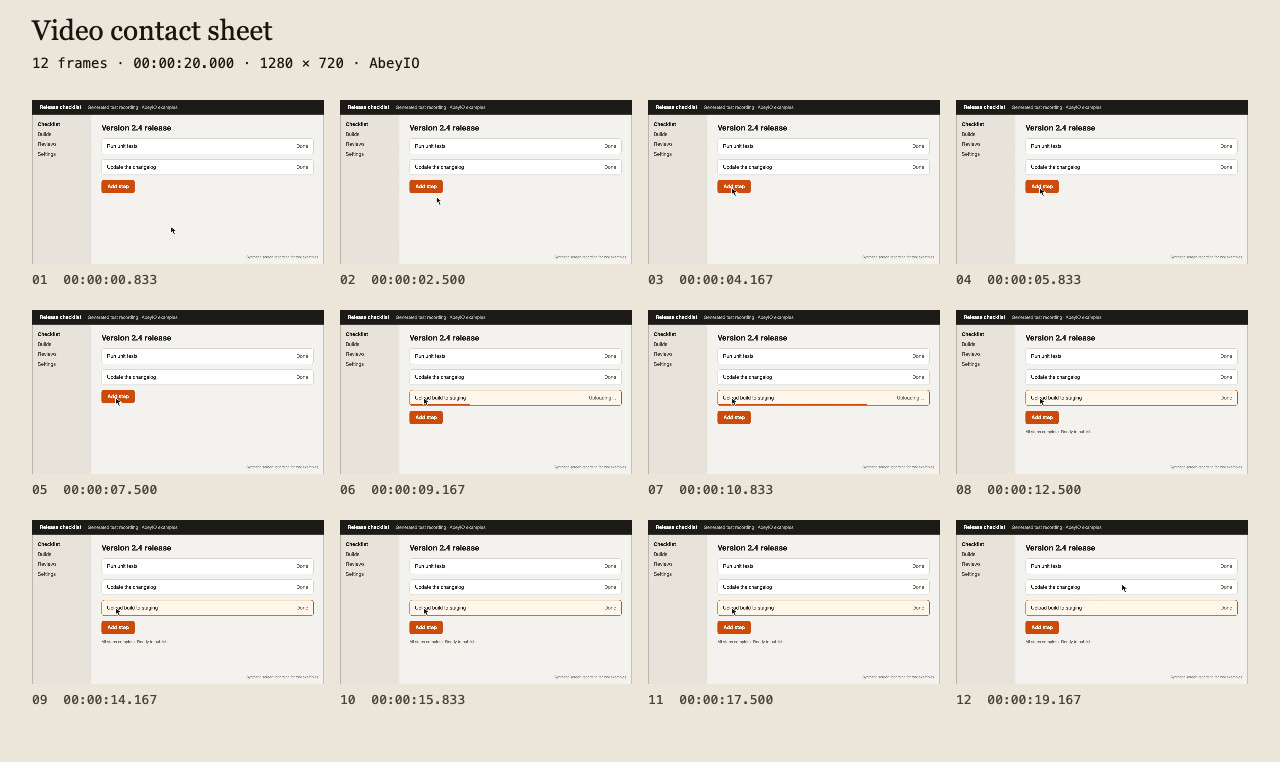
Scan the full clip before scrubbing through it. Timestamps give you positions to revisit in your player.
Attach one frame grid to an archive or report. Downloaded images work without a video player.
Use a frame grid as a reference storyboard. This is sampling from existing footage, not AI image generation or shot detection.
The input limit is 1 GB. Browser codec support and memory can impose lower limits. This tool uses browser seeking; it does not load the extractor's software decoder. Detected PQ/HLG HDR is rejected. Unspecified color metadata is not proof of SDR.
The output is 1280 pixels wide. Frames retain their proportions inside the grid. Very tall or wide footage can have borders. A sheet is a resized overview, not a full-resolution export of each frame.
After the page and its assets load, processing needs no video upload. An unopened page is not guaranteed to load offline. Read the site's processing and network limits.
A video contact sheet is one image with a grid of frames sampled across a clip. Use it to review footage, document a recording, or create a printable visual index.
No. Video loading, frame capture, and image export run in your browser. Your video is not uploaded. The site can make separate requests for page assets and configured analytics.
Use a video your browser can decode and seek within, up to 1 GB. H.264 MP4 is a good starting point. WebM and MOV support depends on the codec and browser. Detected PQ/HLG HDR is rejected; this tool does not tone-map HDR.
No. Labels show requested sampling positions. The browser chooses the displayed frame when seeking. Frames are evenly sampled, not selected by AI or scene detection, and repeated images are kept.
Download separate PNG, JPEG, or WebP frames in a ZIP. Sample at a timestamp or interval, or remove consecutive duplicates.
Extract individual images →Read codec, dimensions, duration, and average frame rate from supported MP4/MOV files.
Inspect a video →Shorten long static sections in supported SDR recordings. Output is a silent MP4.
Shorten a recording →Choosing an output? Compare Frame Extractor vs Contact Sheet.